
Download Bleezer – free multi‑platform blogging tool
Overview
Bleezer is a lightweight, free blogging application that lets you create, edit, and publish posts without ever leaving your desktop. Designed for both Windows and Mac OS X (including legacy versions), Bleezer belongs to the Internet software category with a specific focus on web‑based blogging. The current release, version 0.9.8.2, was last updated on February 26, 2007, yet the program remains functional for classic blog platforms that still support XML‑RPC publishing.
Because the installer is tiny—requiring far less storage than most modern Internet tools—Bleezer is an attractive option for users who want a fast, secure, and offline‑first writing environment. The software is distributed exclusively in English, making it easy to understand the UI and documentation. Since its addition to our catalog in 2007, Bleezer has been downloaded 92 times, a modest figure that reflects its niche appeal among long‑time bloggers who value simplicity over flashy features.
From a SEO perspective, Bleezer helps you optimize your content before it reaches the web. Its built‑in plain‑text editor supports markdown, enabling you to structure headings, lists, and links in a search‑engine‑friendly way. While the program does not provide built‑in analytics, it integrates smoothly with major blogging services (WordPress, Blogger, LiveJournal) via standard APIs, letting you push updates with a single click. Security is also a priority: all data is stored locally until you choose to publish, reducing the risk of accidental exposure. In short, Bleezer offers a free, secure, and lightweight solution for anyone who wants to write blog posts offline and publish them with confidence.
Key Features
- Cross‑platform support – Runs on Windows (XP‑Vista‑7) and Mac OS X (10.2 and later).
- Offline writing environment – All posts are saved locally, allowing you to work without an internet connection.
- Markdown compatibility – Write using markdown syntax and export to HTML with a single command.
- Multi‑blog management – Connect up to five separate blogs and switch between them instantly.
- Lightweight installer – The full package occupies less than 4 MB of disk space.
- Secure publishing – Uses HTTPS and XML‑RPC authentication for supported platforms.
- Template‑free UI – Simple, distraction‑free interface that can be customized with basic CSS.
- Export options – Save drafts as .txt, .md, or .html for backup or later editing.
- Automatic backup – Configurable hourly backups to a user‑chosen folder.
- Free forever – No hidden fees, no subscription, and no ad‑ware.
These features collectively make Bleezer a solid choice for hobbyists and seasoned writers alike. The ability to handle multiple blogs from a single desktop client eliminates the need to log into each service separately, streamlining the publishing workflow. Because the software is built with an emphasis on minimalism, it launches in under two seconds and consumes virtually no RAM, which is ideal for older machines or laptops with limited resources. The markdown support also aligns with modern SEO best practices: search engines can more easily parse clean HTML generated from well‑structured markdown, potentially boosting your rankings. Finally, the built‑in backup system ensures that you never lose a draft, even if your computer crashes unexpectedly.
Installation, Usage & Compatibility
Step‑by‑step installation
- Download the installer from the official Bleezer page (the file is named
Bleezer_0.9.8.2.exefor Windows orBleezer_0.9.8.2.dmgfor Mac). - Run the installer and follow the on‑screen prompts. No additional components are required, and the installer will automatically detect your operating system.
- When the installation completes, launch Bleezer from the Start menu (Windows) or the Applications folder (Mac).
- On first launch, you’ll be asked to create a “profile.” Enter your name, email, and a default save location for drafts.
- Next, add a blog by selecting “Add New Blog” and entering the XML‑RPC endpoint, username, and password for your chosen platform.
How to start blogging
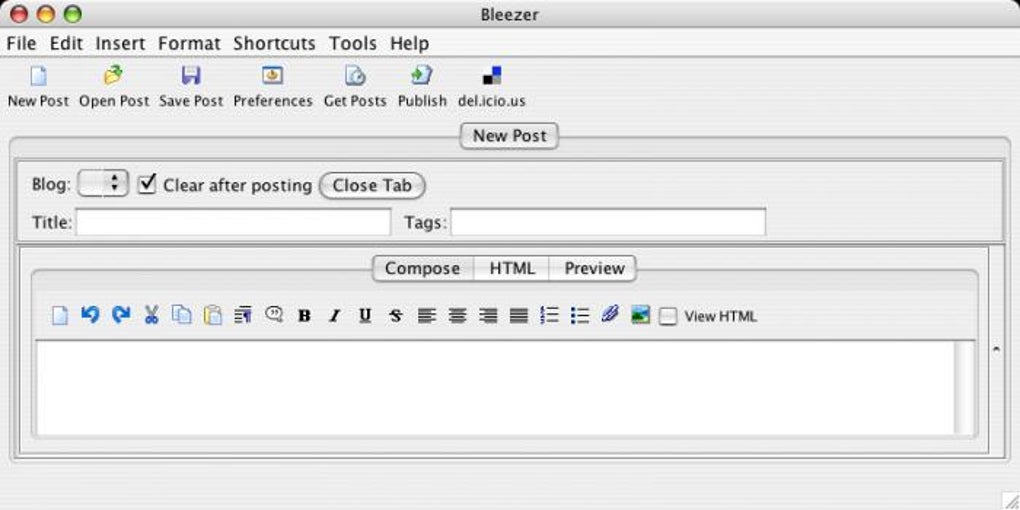
After the initial setup, creating a post is straightforward. Click the “New Post” button, write your content in the markdown editor, and use the preview pane to see how it will look once published. When you’re ready, hit “Publish” and Bleezer will securely transmit the article to your selected blog. The program also supports scheduled publishing—simply choose a future date and time, and Bleezer will queue the post for automatic upload.
Operating system support
Bleezer is officially compatible with Windows XP, Windows Vista, Windows 7, and Mac OS X 10.2 (Jaguar) through 10.15 (Catalina). Because the application relies on standard system libraries, it can also run on later macOS versions in compatibility mode, though no official guarantee is provided. The program does not support Linux natively, but it can be run under Wine on most distributions if needed.
The minimal system requirements—less than 4 MB of disk space and 32 MB of RAM—make Bleezer an excellent fit for older hardware. Even on a 2005‑era laptop, the software starts instantly and remains responsive, which is a significant advantage over modern, resource‑hungry blogging platforms.
Pros, Cons & Frequently Asked Questions
Pros
- Completely free with no hidden costs.
- Very low storage footprint – ideal for older PCs.
- Works offline, keeping your drafts safe until you decide to publish.
- Supports multiple blogs from a single interface.
- Markdown editor enhances SEO‑friendly content creation.
Cons
- Last official update was in 2007; no modern UI enhancements.
- Limited to platforms that still support XML‑RPC (some newer services have deprecated it).
- No built‑in analytics or SEO audit tools.
- No native Linux version.
- English‑only interface may be a barrier for non‑English speakers.
Frequently Asked Questions
Is Bleezer still safe to use despite its age?
Yes. Bleezer does not contain any network services of its own, so it does not expose your computer to external threats. The only communication occurs when you deliberately publish a post via HTTPS to a trusted blogging platform.
Can I use Bleezer with WordPress.com?
Absolutely. As long as your WordPress site supports XML‑RPC (enabled by default on most self‑hosted installations), you can add the endpoint https://yourdomain.com/xmlrpc.php and publish directly from Bleezer.
Does Bleezer offer automatic image uploads?
No. Bleezer focuses on text‑based content. You must upload images manually through your blog’s web interface or use a third‑party image‑hosting service and embed the URLs.
Can I run Bleezer on Windows 10?
Yes. Although the official documentation lists Windows XP‑7, the installer runs without issues on Windows 10 in compatibility mode. Users have reported smooth operation.
Is there a way to backup my drafts to the cloud?
Bleezer includes a local backup feature that saves copies to a folder you choose. You can point that folder to a cloud‑synced directory (e.g., Dropbox, OneDrive) to achieve automatic cloud backup.
Overall, Bleezer scores high on simplicity and resource efficiency, though its dated interface may deter users looking for modern design.
Conclusion & Call to Action
For bloggers who value speed, offline drafting, and a no‑frills experience, Bleezer remains a compelling free option. Its cross‑platform support, markdown‑centric editor, and tiny footprint make it especially suited for users on older hardware or those who simply dislike cloud‑only solutions. While the lack of recent updates means you won’t find the sleek aesthetics of newer apps, the core functionality is solid and secure, allowing you to focus on content creation rather than software management.
If you’re ready to streamline your blogging workflow without spending a dime, click the download button below, install the program, and start writing today. Remember, the best SEO starts with high‑quality content—Bleezer gives you the clean canvas you need to craft it.







